


Module · Administration
Managing Sites, Users and Permissions
Administration is the foundation: this is where sites, users, groups and roles are created — and from that follows who gets which task and who even sees which document. Set it up properly once and the rest runs on its own.
- Sites with their own contact details and time zones
- User groups by function, roles by permission
- Documents, QR codes and recurring tasks


















What administration does
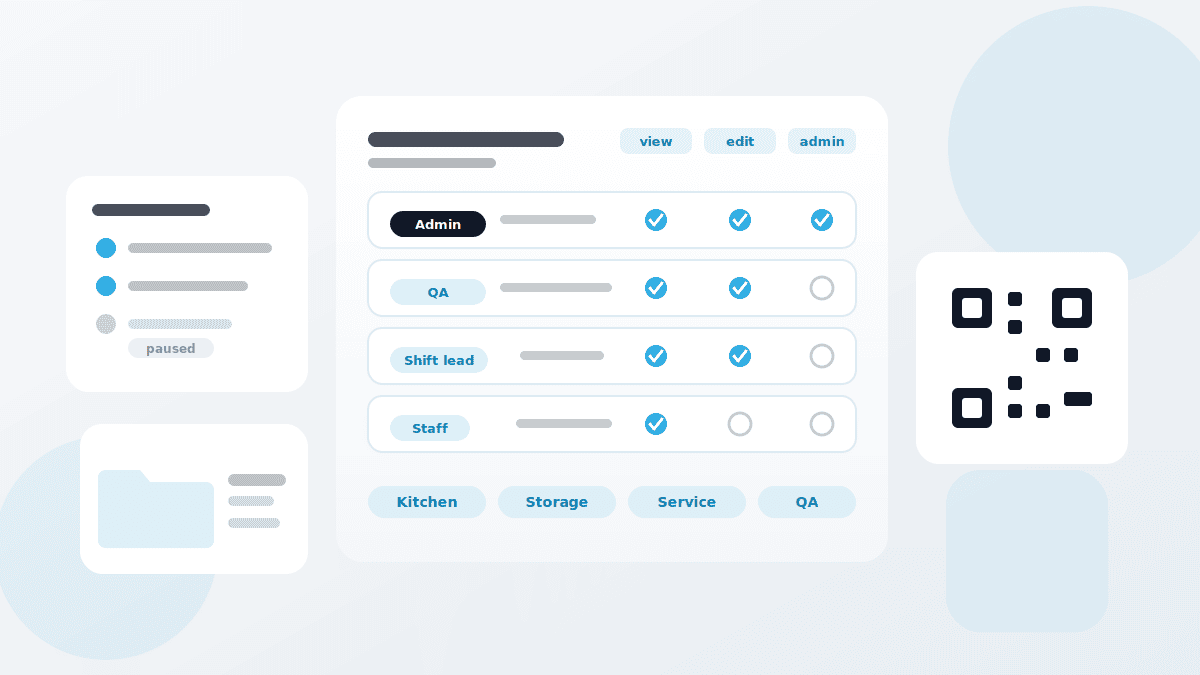
Two terms separate what often gets mixed up: the user group decides who receives a task. The user role decides what someone is allowed to do in the system.
Rather than deleting people when they leave, you set them inactive: they can no longer log in and receive no tasks, but stay visible and can be reactivated. On deletion the internal ID stays taken — a new user with the same name is a different person to QMSpot, and the old data is no longer readily accessible.
Sites
Their own address, phone and email per site, plus time zone and categories
Pause a site
On a temporary closure, tasks and daily reports stop — sensor data keeps running if you want it to
Users
Mandatory fields, an initial password for the first login, language and time zone per person
User groups
Bundle people by function — a kitchen station, a department or a role such as QA
User roles
Reusable permission sets instead of one-by-one rights, with the admin role locked
Documents
Folders with read and write rights per group, inheritance to subfolders, change history
QR codes
Link a file, task, checklist, measuring point or device — print them and put them up
Tasks
Six types, one-off or recurring, assigned to sites, groups or individuals
How you set QMSpot up
The order matters. Follow it and you avoid reworking every single user later.
1. Create the sites
Name, contact details, time zone and categories — per site, not centrally for all.
2. Roles and groups first
Permission sets and functions before users. Otherwise you edit every person afterwards.
3. Create the users
Assign role, group and site right away, and pick each person's language.
4. Distribute the tasks
What, when and who: link the content, set the rhythm, assign sites and groups.
How it works with the other modules
Cross-module, flexible and practical
Administration produces no records of its own. It decides whether the other modules work at all.
- Checklists & Inspection Plans — a checklist is only actually carried out once it is assigned as a task
- Defect Management — defects go to user groups, not to individuals who may move on tomorrow
- Sensors & Temperature — when a site is paused, you decide whether the readings keep running
- Device Management — maintenance dates appear as a task at the site responsible
- Training — training progress is analysed by the same groups and sites
See administration in action
We set up a structure with you, from your own sites and functions — no canned presentation, no obligation.
Your data is handled in compliance with the GDPR.