


Module · Training & Instructions
Training and Instructions, Digitally
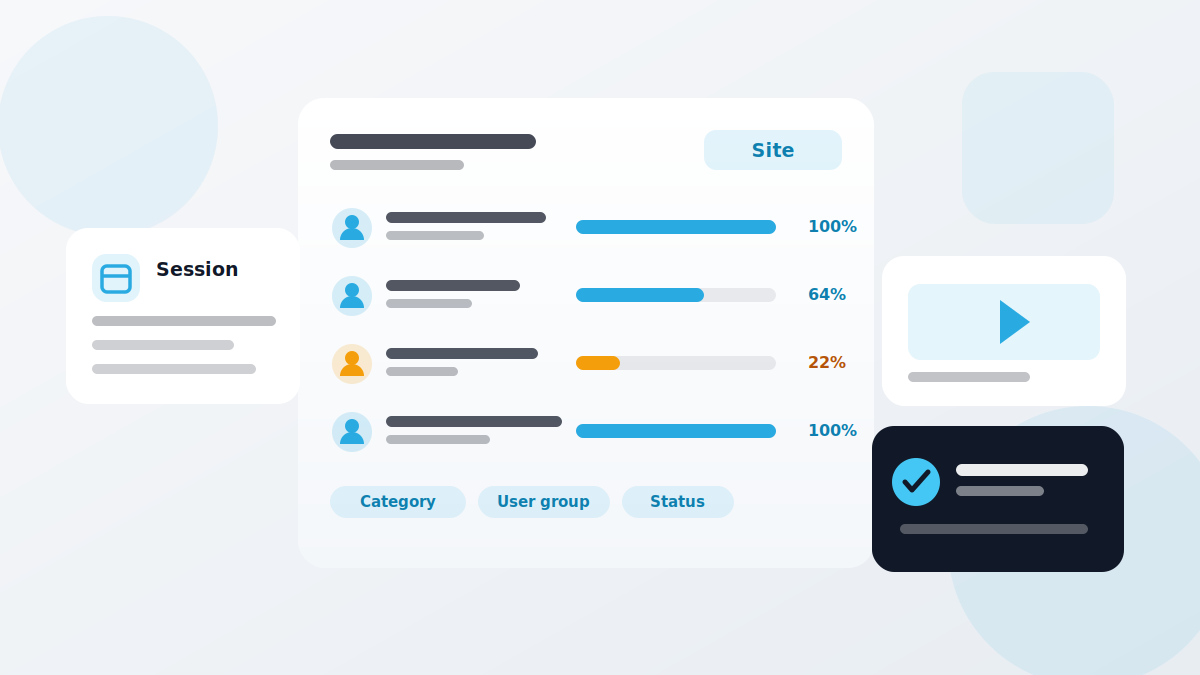
At an inspection it does not count that you trained your team. It counts that you can prove it. QMSpot plans sessions with a trainer and a venue, holds online courses ready, and shows the training progress of every participant as a percentage.
- Sessions with trainer, venue and headcount
- Online courses with your own content
- Training progress by site and group


















What the training module does
Training runs two ways: as a session on site or online at your team's own pace. Both feed the same record.
The real value sits in the dashboard. It shows not only who has been trained, but where something is missing — broken down by site, category and user group. Training that is due stands out before anyone has to ask for it.
For mandatory training on hygiene, infection protection and occupational safety, what counts in the end is the record. On completion QMSpot creates a certificate automatically, with content, trainer and date, and keeps it available to the employee. Validity runs from that date — every employee has their own cycle, and when it runs out the system sends the invitation again by itself.
Training sessions
Date, time, maximum number of participants, venue and notes
Trainers & venues
Trainers and venues stored centrally and assigned to the session
Certificates
Issued automatically on completion, with content, trainer and date
Participants
Add whole user groups or capture external participants individually
Online courses
Your own videos and documents, a separate version per language
Training progress
Who is current, who is overdue — with an export for audits and inspections
Dashboard
Progress by site, category or user group, shown as charts
Validity & reminders
Validity runs from each completion; the system re-invites automatically
How a training session runs
From the session date to the record — four steps that repeat with every instruction.
1. Create the session
Pick the course, set date and time, add headcount, venue and trainer.
2. Assign participants
Add whole user groups, or capture external participants with their details.
3. Capture the record
Upload the signed attendance sheet, or let the online course be completed. The certificate is created automatically.
4. Watch the progress
Filter the dashboard by site, category or group and spot training that is due.
How it works with the other modules
Cross-module, flexible and practical
Whoever inspects has to be instructed. That is why this module connects to almost every other one.
- Checklists & Inspection Plans — daily inspection assumes the people doing it have been instructed
- Audits — training records are among the things an audit asks about
- Defect Management — recurring defects often point to missing instruction
- Device Management — anyone operating a measuring device needs the matching briefing
- Product Recalls — when it counts, everyone has to know what to do
See training in action
We show you the module using your own training plan — no canned presentation, no obligation.
Your data is handled in compliance with the GDPR.