


Module · Checklists & Inspection Plans
Hygiene Management for Restaurants – Digital and Audit-Proof
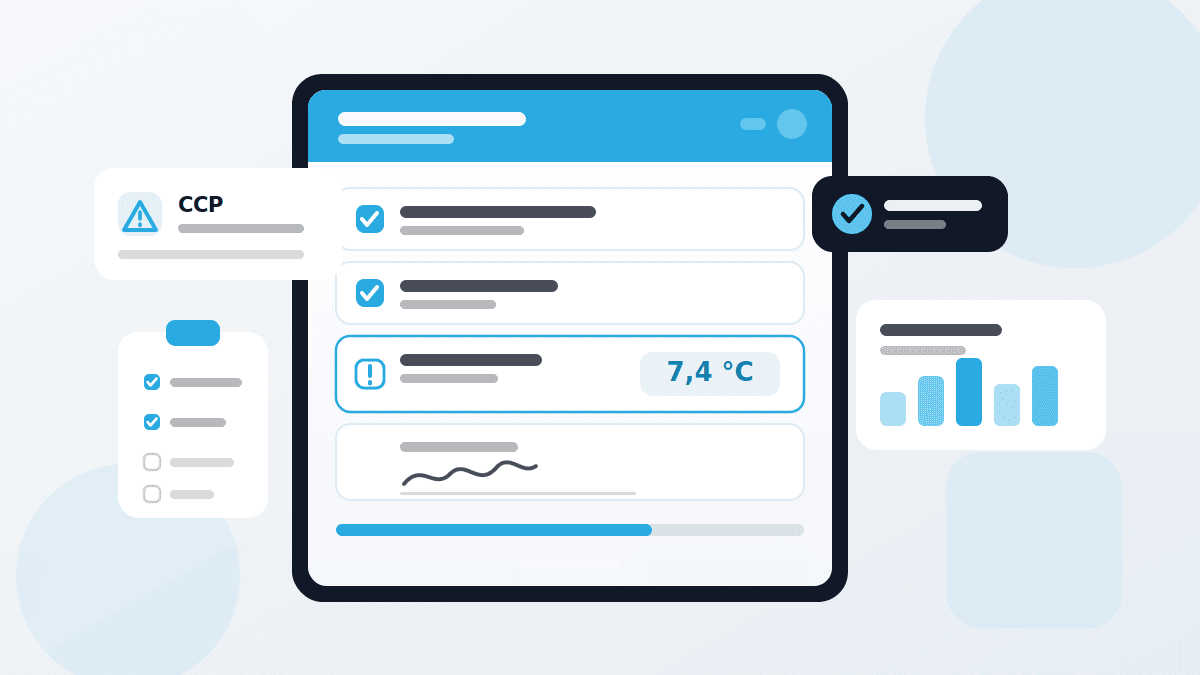
No more paper lists and binders. With QMSpot you define what is checked, who checks it and how often – for one site or every branch. When the food inspector arrives, every record is just one click away.
- Ten inspection item types freely combined
- Mark critical points as CCP
- Export reports as Excel or PDF


















Typical checks in restaurants
Five checklists that run in almost every kitchen every day. Use them as templates and adapt them to your business.
Cleaning schedule
Daily, weekly, monthly: who cleans what and with what.
- Work surfaces cleaned and disinfectedCheckbox
- Cleaning agent as per dosing planSelection list
- Extractor hood grease filter cleanedCheckbox
- Confirmation by the person responsibleSignature
Goods receipt
Check every delivery before it goes into storage.
- SupplierSelection list
- Temperature of chilled goodsNumeric value
- Packaging intact, best-before date OKCheckbox
- Remark on deviationMulti-line text
Temperature check
Chilling, freezing and hot holding within the target range.
- Kitchen fridgeNumeric value
- FreezerNumeric value
- Cold room, straight from the sensorMeasuring point
- Hot holding at the counterNumeric value
Staff hygiene
Before each shift: clean, healthy, ready to work.
- Clean workwear, hair coveredCheckbox
- Jewellery and watches removedCheckbox
- Hand-wash stations with soap and paper towelsCheckbox
- No signs of illness reportedList with validation
HACCP self-checks
Check and document critical control points.
- Core temperature when cooking (CCP)Numeric value
- Cooling according to plan (CCP)Numeric value
- Time of inspectionTimestamp
- Approval by the head chefSignature
What it means for day-to-day restaurant operations
Less paper, more overview and every record at hand – in a single restaurant just as in a chain.
In your own restaurant
Your team checks on a tablet or smartphone instead of paper. If a value deviates, a defect with instructions is created immediately – nobody has to remember.
Across multiple branches
All sites work with the same checklists. That way you see at a glance where checks are missing or deviations keep occurring.
During a food inspection
You filter the records by site, date and inspector and hand them over as a PDF. No searching through binders, no missing sheet.
What the checklist module does
An inspection item is the smallest unit of a checklist. QMSpot offers ten types — you combine them the way your inspection actually runs.
For every inspection item you decide whether it is mandatory. Safety-critical points are marked as Critical Control Points. For numeric values you define target and limit values that make deviations visible. Dependencies show a follow-up question only when a particular answer was given — if the inspector selects "Yes", the detail question appears, otherwise the list stays short.
When something deviates, nobody has to remember to raise a defect: a selection list with validation, or a numeric value outside its target range, creates one automatically, complete with a pre-filled note. The stored procedure note appears right away and tells the inspector what to do next. If the defect can be fixed on the spot, it is closed there and then.
Checkbox
simple yes/no format for visual checks
Selection list
predefined options to choose from
Selection list with validation
predefined options – an invalid answer raises a defect
Single-line free text
short answers such as supplier or batch number
Multi-line free text
detailed remarks and observations
Numeric value
numeric values with a target range — a deviation raises a defect
Signature
electronic confirmation by signature
Measuring point
direct integration with sensors
Location
outputs the geo-location
Timestamp
documents when the inspection took place
How an inspection runs
From template to proof — four steps that repeat the same way in every operation.
1. Create a checklist
Name, description, recurrence — and whether the list applies to one site or all of them. Copy similar lists instead.
2. Work with templates
Save recurring checklists as templates and sort them into categories such as Hygiene, Safety or Maintenance.
3. Record the deviation
When an item is not met, a defect is created with a note and a procedure note — a photo can be made mandatory.
4. Prove it
Completed inspections land in the report, filterable by site, date and user. Export as Excel or PDF.
How it works with the other modules
Cross-module, flexible and practical
The checklist module does not stand alone. It is the point where the other modules connect.
- Sensors & Temperature — inspection items of the measuring point type pull their values straight from the sensor
- Defect Management — deviations are followed up as defects, with an owner and a deadline
- Audits — the same inspection logic, on a larger scale
- Training — whoever inspects has to be instructed
- Device Management — maintenance, inspection and calibration of the devices behind the readings
See checklists in action
We show you the module using your own inspections — no canned presentation, no obligation.
Your data is handled in compliance with the GDPR.